Tap tempo
Tap tempo finds the BPM of any song: tap along to the beat you would tap your foot to, and after a few taps you see its tempo, steadier as you keep tapping. Then practice along at that tempo to a click, right here, free and without a sign-up.
The metronome needs JavaScript to play: turn it on in your browser to hear the click.
Tap along
Accents, eighths, a count-in and a tempo ramp are in the full metronome.
How to tap a tempo
- Listen to the music and find the beat you would tap your foot to.
- Tap the button, or press T, on every beat.
- From the third tap the tempo shows in BPM, beats per minute: 120 BPM is two beats a second.
- Keep tapping. The number settles as more taps come in.
Pause for more than two seconds and the count starts over. It works as a BPM counter for anything with a beat you can hear.
Tips for a steady tap
Tap the beat you feel, not the busiest instrument: the kick and the snare, not the hi-hat. Tap the beat you would count one, two, three, four to. Eight even taps give a steadier number than three, so keep going until it stops moving.
If your number comes out about twice or half what you expected, you tapped a different pulse. Tap again on every other beat, or twice as often. A tapped number is only as steady as your tapping.
Now play along at that tempo
Play along to a click at the tempo you tapped, beat 1 accented, and tap again while it plays to change it from the next beat. For accents on any beat, eighths, a count-in or a tempo that climbs by itself, open the full metronome.
Or start from a round tempo: 60 BPM, 80 BPM, 90 BPM, 100 BPM, 120 BPM, 140 BPM, 160 BPM or 180 BPM.
Finding the BPM of a song
Tapping finds the tempo you hear, one tap at a time. Nothing here looks a song up by its name or listens to a recording: play the song and tap along.
This sets a click to play along to; it is not a delay pedal's tap tempo.
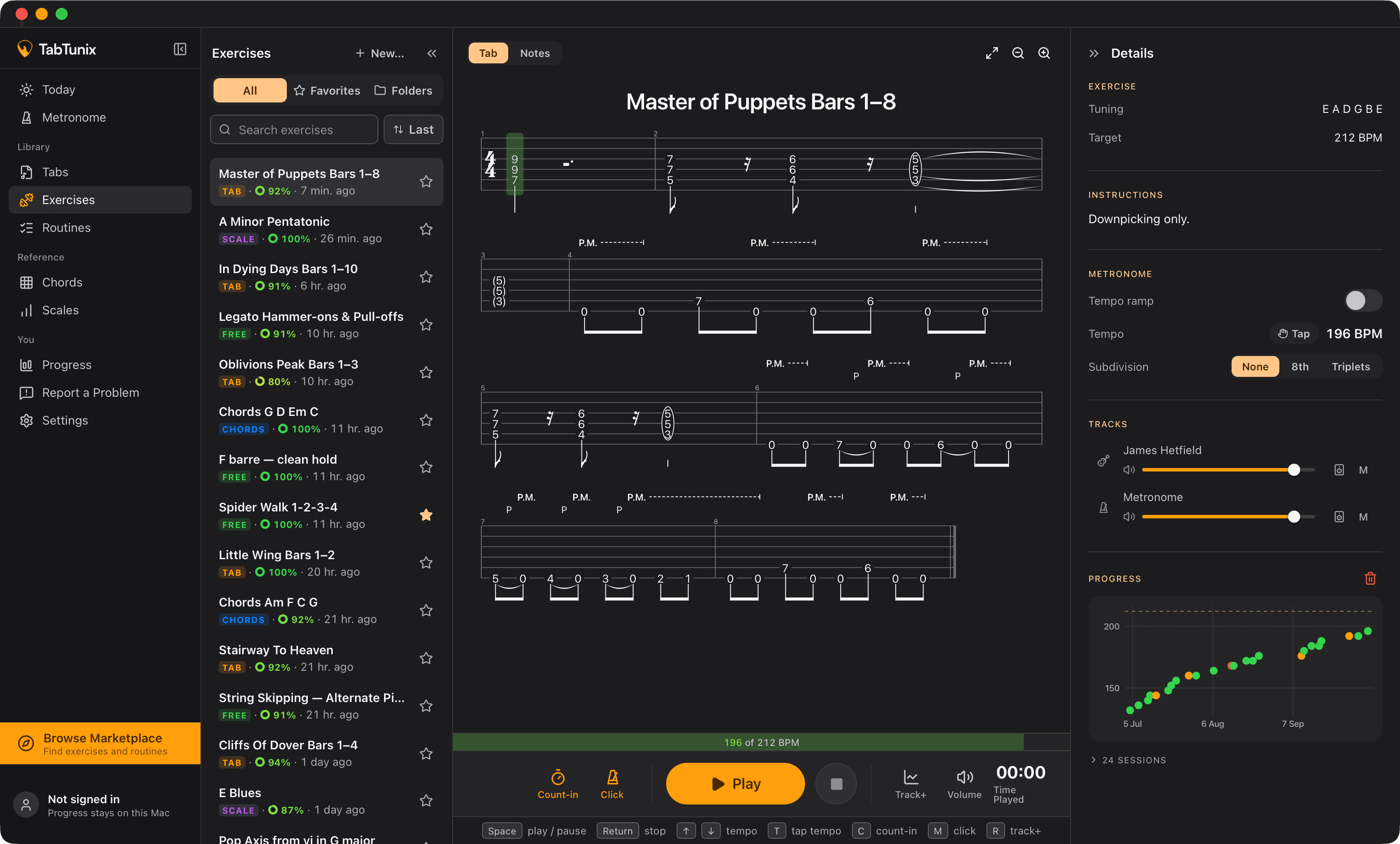
In the app
From a tapped tempo to practice
Found the tempo of a song? Learn the part slower and bring it up to that tempo. In TabTunix you tap a tempo into any exercise, not only on the metronome. Set the exercise's target to the tempo you tapped, and you see the tempo you play against it, with your best tempo, the fastest you rated good, kept.
The way there, step by step: how to use a metronome. A whole session: the guitar practice routine.
Questions about tap tempo
You know which lick it is. Go get it up to tempo. Free, for Mac and Windows.
macOS 13 or newer